

how to prompt seedance 2.5 (the 200iq guide)
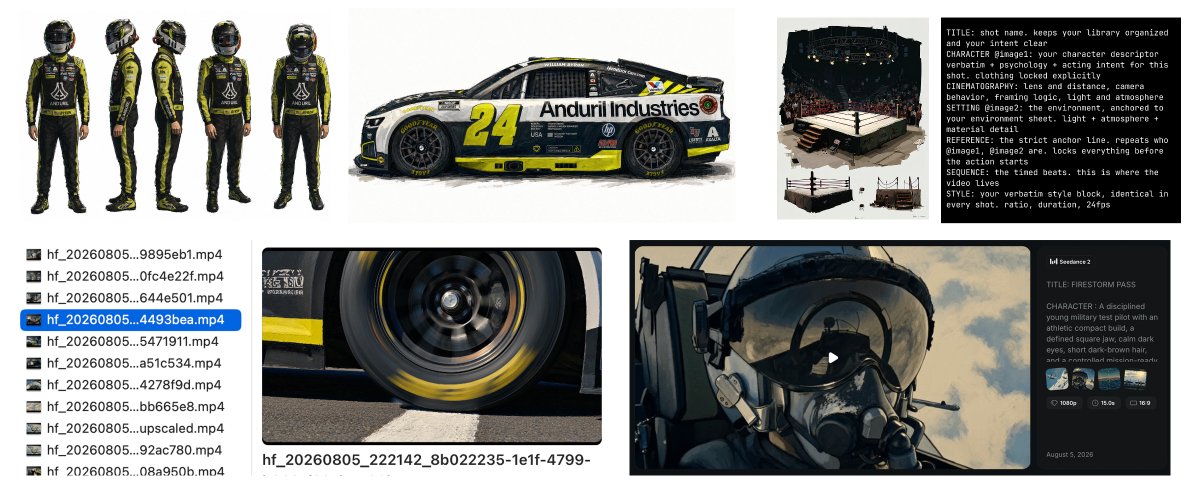
almost everyone prompting seedance 2.5 right now is making the same mistake: trying to oneshot the whole video.
ive spent the last few days and probably too much money messing around with it. this is everything i know: the exact prompt structure i use, the workflow that gets usable footage out of it, and the one mental shift that changes everything.
by the end youll have my exact prompt structure and the workflow i run around it.
the honest verdict, a few days in
first, what you're actually working with:
on the expensive part, some actual numbers: api pricing works out to roughly $0.50 to $1.20 for a 5 second clip depending on resolution, and on credit platforms a full 30 second 4k generation runs 2,000+ credits. every rule in this guide exists because of that math.
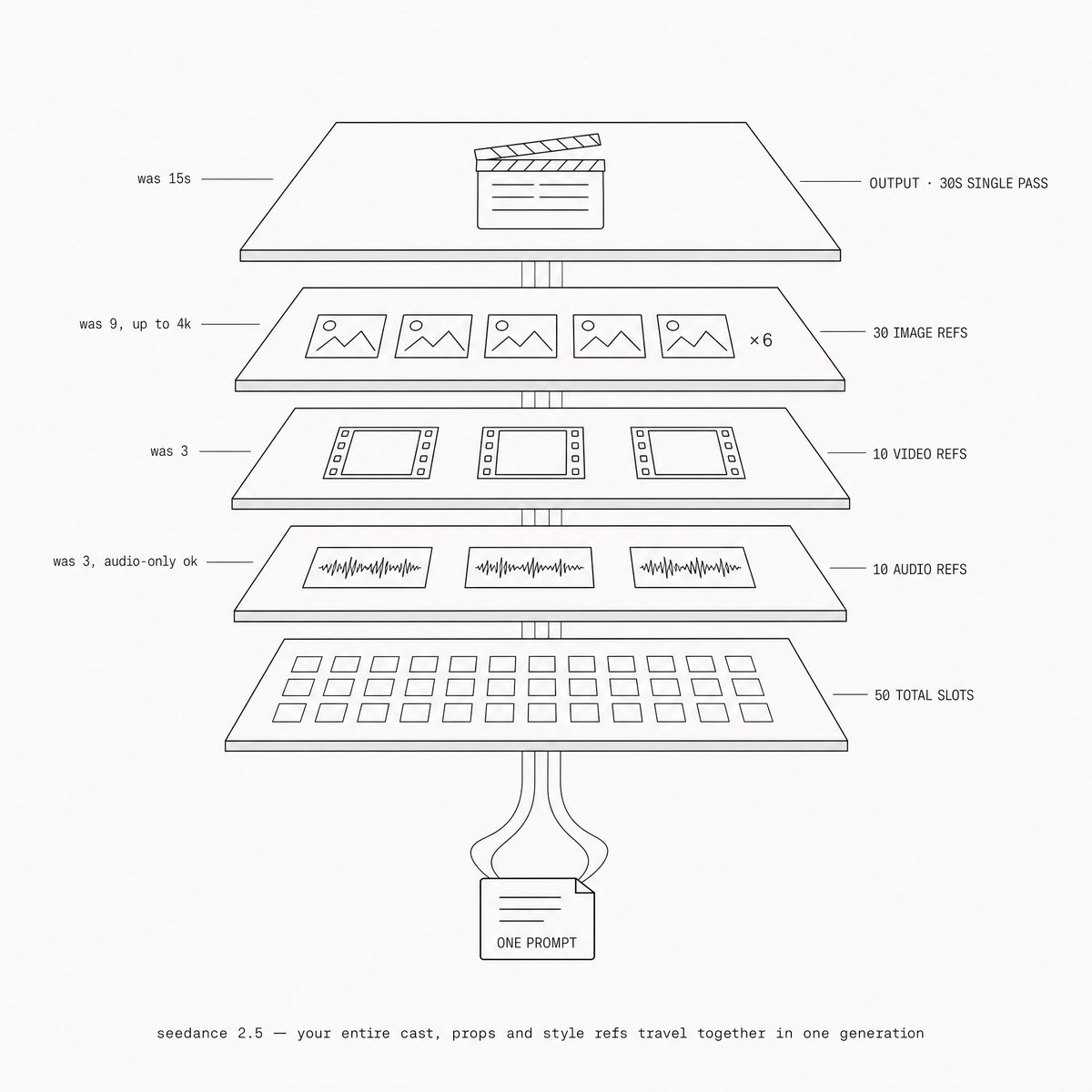
the biggest one: 50 reference slots that actually remember structure. your entire cast, props, and style refs all go into one generation together. we'll use that.
stop one-shotting, start aggregating
heres the thing people get wrong with every video model, not just this one. they try to one-shot the whole video. or they try to one-shot the transitions, or the audio.
the key is always going to be aggregating the best shots from the model. prompt way more than you think you need, pull the best moments, and give the model the opportunity to come up with its own ideas.
thats the beauty of ai video: you can pull and aggregate random things together into something beautiful and stylistic.

in practice, for me, that means montages:
1/ take 2 to 5 seconds of your actual script
2/ turn it into one 15 to 30 second montage prompt, fast cuts (use chatgpt to do the breakout)
3/ tell the model straight up: im cutting this myself in premiere, load the montage with extra shots and options
4/ generate around 10 of those
5/ cut all the best moments into one
it comes back with alt angles and coverage you never thought to ask for. fair warning: most of those extra shots will be slop you never touch. but every now and then you get an absolute banger you could have never planned yourself.
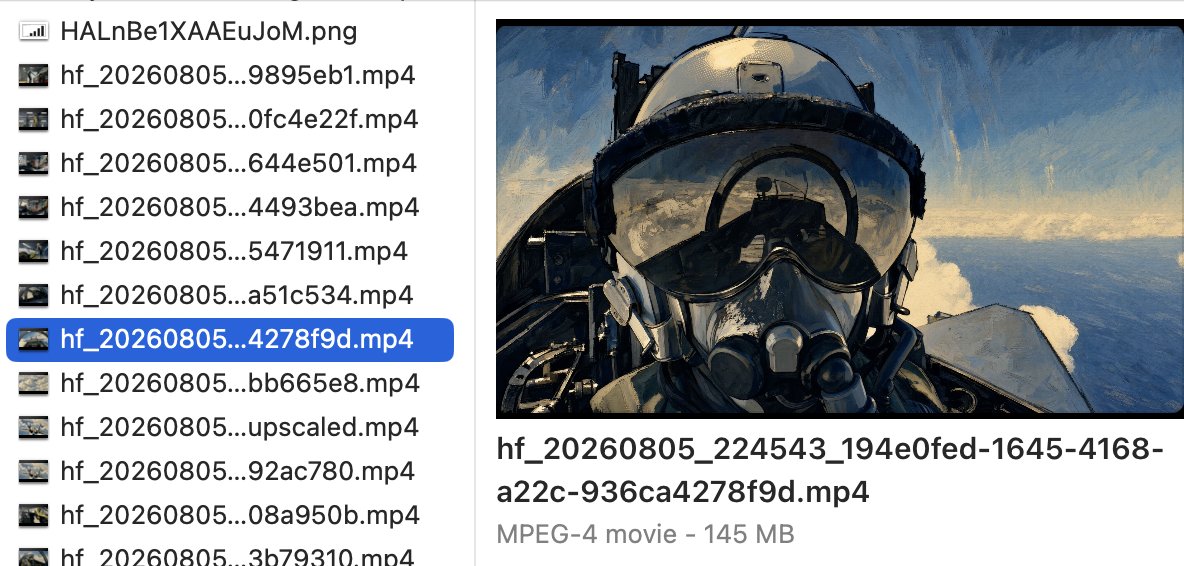
i found this out by being lazy. i was making a fighter jet montage, and instead of individually writing out every shot like a good director, i realized the model would just make the montages for me. a generation came back with a shot i didnt write, and it was better than what i wrote. i understood the whole model differently after that. thats not a bug in your prompting, thats the workflow.
same way youd shoot a ton of coverage on a real shoot. more options in the edit, more room for your own taste.
and yes, the math. a batch of ten 15 second montages runs roughly $15 to $35 at the api rates above. that sounds like it goes against getting the prompt right the first time. it doesnt. the structure exists so every generation in the batch comes back usable, and the batch exists so you never pay for the genuinely expensive thing: re-running a broken prompt and hoping it fixes itself. you spend on coverage, never on hope.
on duration: 30 seconds is actually really good for the montages. its more expensive, so theres more at stake if you get the prompt wrong, but if youre in a good flow, 15 to 30 seconds is the sweet spot.
now, how to write the prompt so you get it right the first time.
the prompt structure
every prompt i write follows the same structure, macro to micro. hard limit for a narrative prompt: under 3,500 characters. (montage prompts run long and loose on purpose, youll see one in a minute.)
copy this structure:
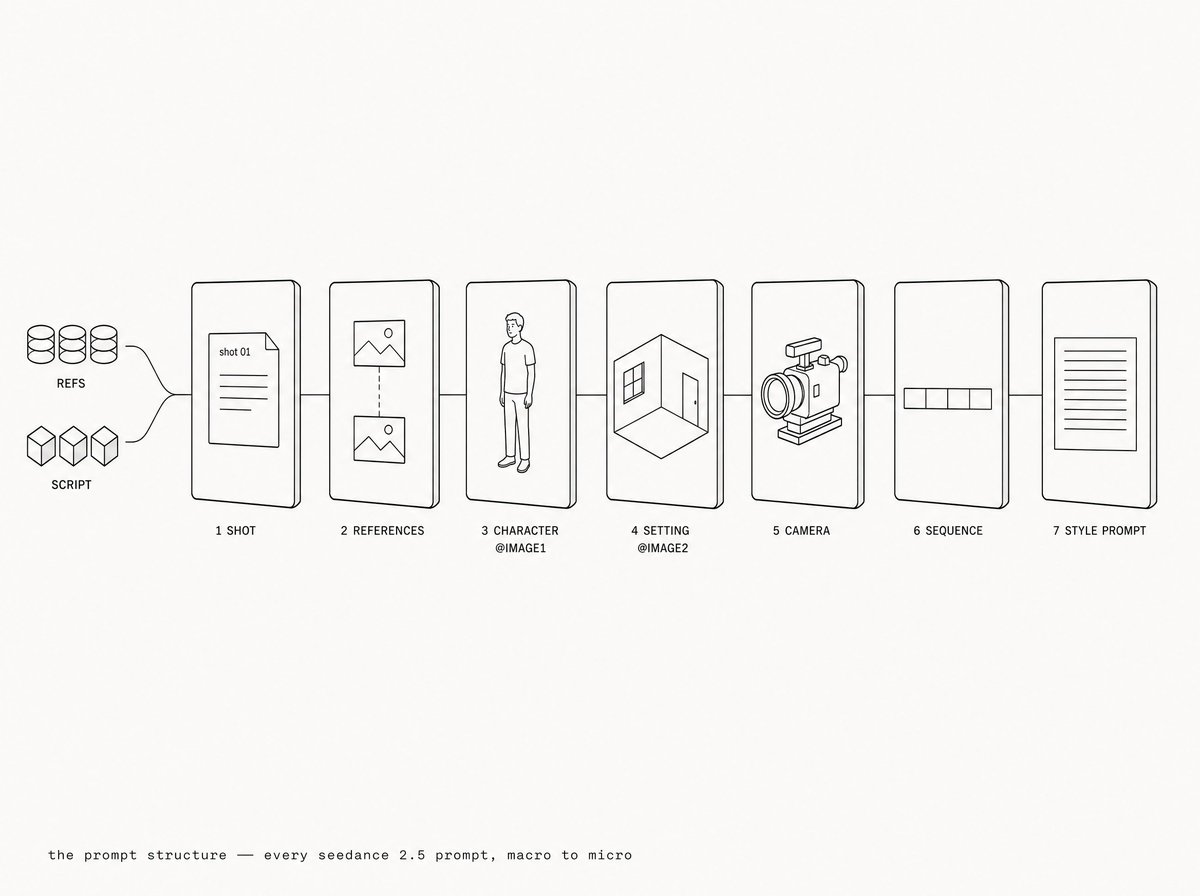
four things that go in every single prompt:
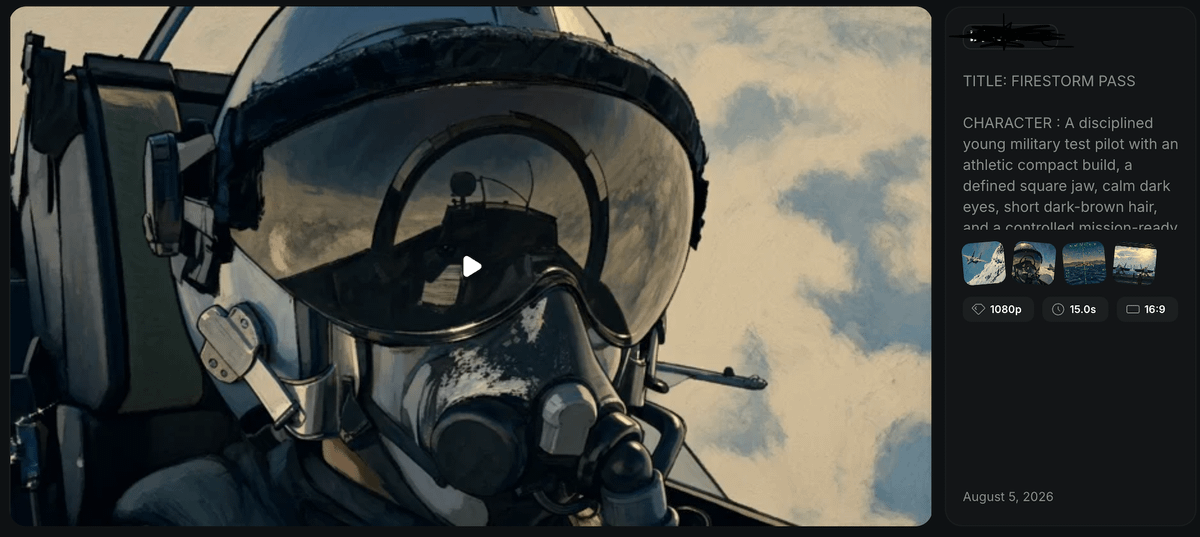
one more trick that pays for itself: if you have a style prompt you already use in midjourney or gpt image models, add that exact paragraph to the end of every seedance prompt. one style prompt, three tools, one consistent look.
emotion, physics, sound
the SEQUENCE block is the core. each beat is shot type + action + camera + sound, time coded. four rules i stick to:
1/ emotion is body movement. never "he is angry". write "the jaw clenches, the fist closes". the model renders what a feeling does to a body
2/ physics, not vibes. every action has trajectory, distance, impact, reaction. "three strides, leaps, lands knees deep" beats "he jumps impressively"
3/ sound inline, per beat. never a sound list at the end. each beat carries its own diegetic sound, its what makes the shot feel real
4/ rhythm through contrast. cut between extreme wide and macro, fast and still. impact frames, speed changes, a held freeze. the rhythm is written into the beats
3 to 4 beats per 15 seconds is the ceiling for narrative shots. overstuffed prompts feel rushed. but montage prompts break this rule on purpose, which brings me to the example.
a prompt from my library
this is the fighter jet montage where all of this clicked for me. 13 beats in 15 seconds, on purpose: its a montage prompt, built to hand me coverage.
four things to watch for as you read it:
the full prompt, copy paste and reskin it (i wrote this one with an earlier ordering, same pieces):
montages are the exception to the beat ceiling. sequences are not, and cutting a longer story into prompts is its own craft.
cutting a longer story into prompts
when youre generating a sequence rather than a montage, four rules keep the cuts invisible:
1/ one block, one continuity. all prompts from the same narrative block reuse the same references, same environment descriptor, same light. copy paste, dont rewrite
2/ 3 to 4 beats per 15s, maximum. if a block needs more, split it into two prompts
3/ bridge with sound. end prompt A and start prompt B on the same audio cue (a siren, a breath, an impact ringing out). the edit stitches on the sound
4/ match the frame at the cut. if shot B continues shot A's action, write the same framing and eye placement explicitly in both prompts
the rules handle continuity. identity is a different problem, and its where most drift starts.
character + environment sheets
you can be pretty free with what you upload, but two structures pay off every time:
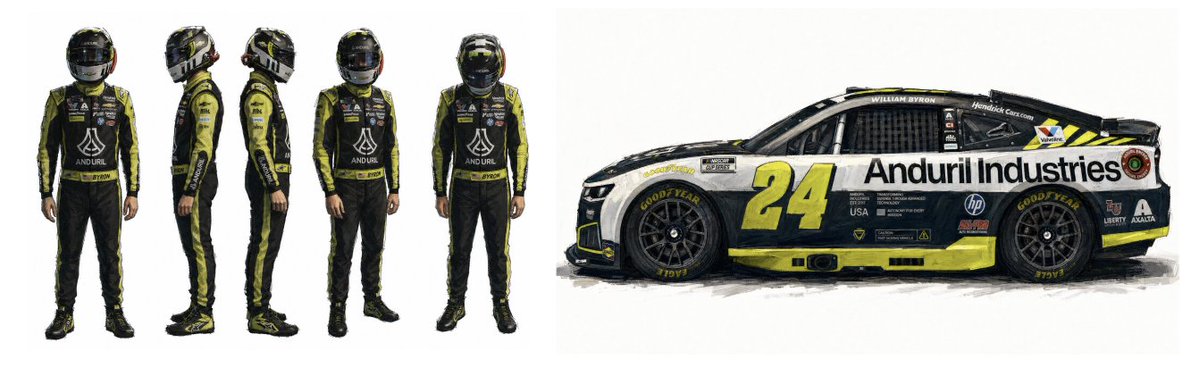
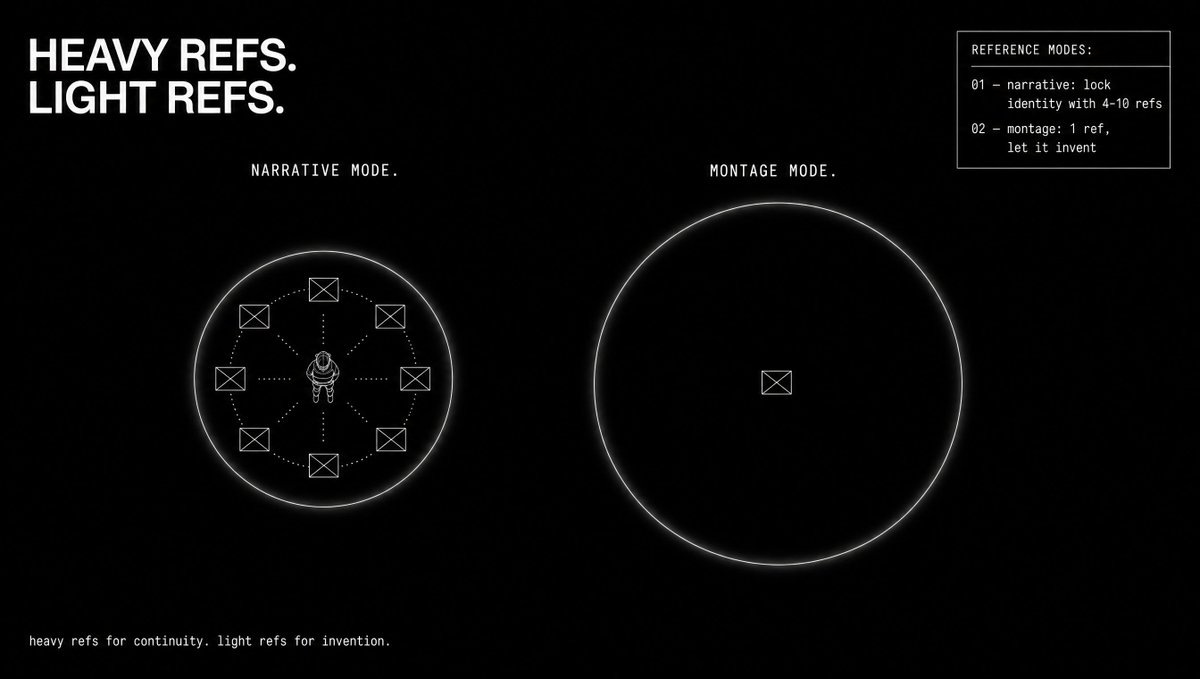
i upload 4 to 10 reference images per prompt. 2.5 takes up to 50 slots and actually remembers the structure and logic behind every file, so you can hand it your whole cast, props, and style refs at once.
but heres the counterintuitive part: for montages, go the other way. the fewer references you put in, the more the model makes its own shots, and it will still hold the style without breaking as long as you give it the rough environment and the style prompt. heavy refs for narrative continuity, light refs for invention.
identity locked. next problem: what it sounds like.
sound: use the sfx, skip the dialog
after the last few days my read on the native audio: the sound effects are the surprise winner. seedance is really, really good at cars, planes, mechanical stuff, and i keep them in the final cut. lip-sync looks somewhat usable for ugc talking heads, but for the most part i dont use native dialog. and music never goes in the generation. it gets added in the edit, where you control it.
thats the toolkit. heres where the model is already winning.
where its already winning
a quick map of the styles working right now, with proof:
b-roll taste: 2.5 is much better than 2.0 at coming up with random insert shots on its own, and its cinematography taste jumped.
organic vlog content: holds up.
animation and motion: my favorite lane, more below.
fake vhs and fake broadcast: i think this is going to be a really popular emerging style. a seedance 2.5 vhs clip of a guy dancing on a car literally tricked a french news channel into posting it. tons of viral ideas in this pocket, and the vhs grain is a really unique way to make ai look less sloppy.
one style on that map i wont pretend to own:
ugc (full credit: maximalist)
im not a ugc pro at all. this section is me pointing at someone elses sauce: maximalist wrote the best 2.5 ugc guide ive seen.
two moves worth stealing from his prompt: phone-camera honesty ("slight shake, casual autofocus hunting, no gimbal smoothing", the imperfections ARE the realism), and speech direction with real pauses (filler words, trailing off, quiet stretches where shes just doing the action instead of narrating). objects only ever enter frame through a visible hand action. go read the full prompt in his article, its worth it.
and then theres the lane im actually betting on.
my lane: painted animation
for me, im going all in on anime and painted animation. i think you can get stuff at the same tier as into the spider-verse. thats the style im chasing.
the pipeline:
the glue is the style prompt: one paragraph of text that goes in the midjourney prompt, the gpt prompt, and the seedance prompt. one description of the look, enforced at every stage of the pipeline.
im keeping mine to myself, its the moat. but heres how you build your own: take imagery or cartoons you love and hand them to gemini. have it extract the style details, the exact things that make the look the look, and turn them into keywords. that paragraph becomes your style prompt. one description, reused in midjourney, gpt, and seedance, every single shot.
the playbook
1/ aggregate, dont one-shot. prompt way more than you think, pull the best moments
2/ montage batches: 2-5s of script becomes one 15-30s fast-cut montage prompt, tell the model youre cutting it yourself, generate ~10
3/ every prompt is the same structure: shot, references, character, setting, camera, sequence, style prompt. under 3,500 characters for narrative
4/ beats are emotion as body movement + physics + inline sound + contrast. 3-4 beats per 15s for narrative, break the rule for montages
5/ in every prompt: no music, face stable line, @image discipline, negatives only for problems youve hit
6/ build your style prompt with gemini (extract the look from imagery you love), then reuse it across midjourney, gpt, and seedance
7/ character sheet = 3 face angles. environment sheet = 2-3 angles. 4-10 refs per prompt, but go light on refs for montages
8/ keep the native sfx, skip the native dialog, music in the edit
9/ text in frame is broken. captions and overlays are your job
where im taking it
the realism lane is arriving on its own, nobody needs my help there. the interesting question is what you point this at. for me its painted animation and idk ill probably find some more cool styles.
im going to keep dropping what i learn (and the prompts) in my free telegram: t.me/beechhq
what style are you going all in on?